UML diagrams. Sketched on your Mac.
SimpleDiagrams 5 has a UML library built in, with the shapes for the class, activity, use case and sequence diagrams most people draw, and the ten relationships they draw between them. It is a native Mac app you buy once.
- 10
- relationships, drawn the right way round
- 4
- kinds of diagram: class, activity, use case and sequence
- 0..*
- labels at either end of a line
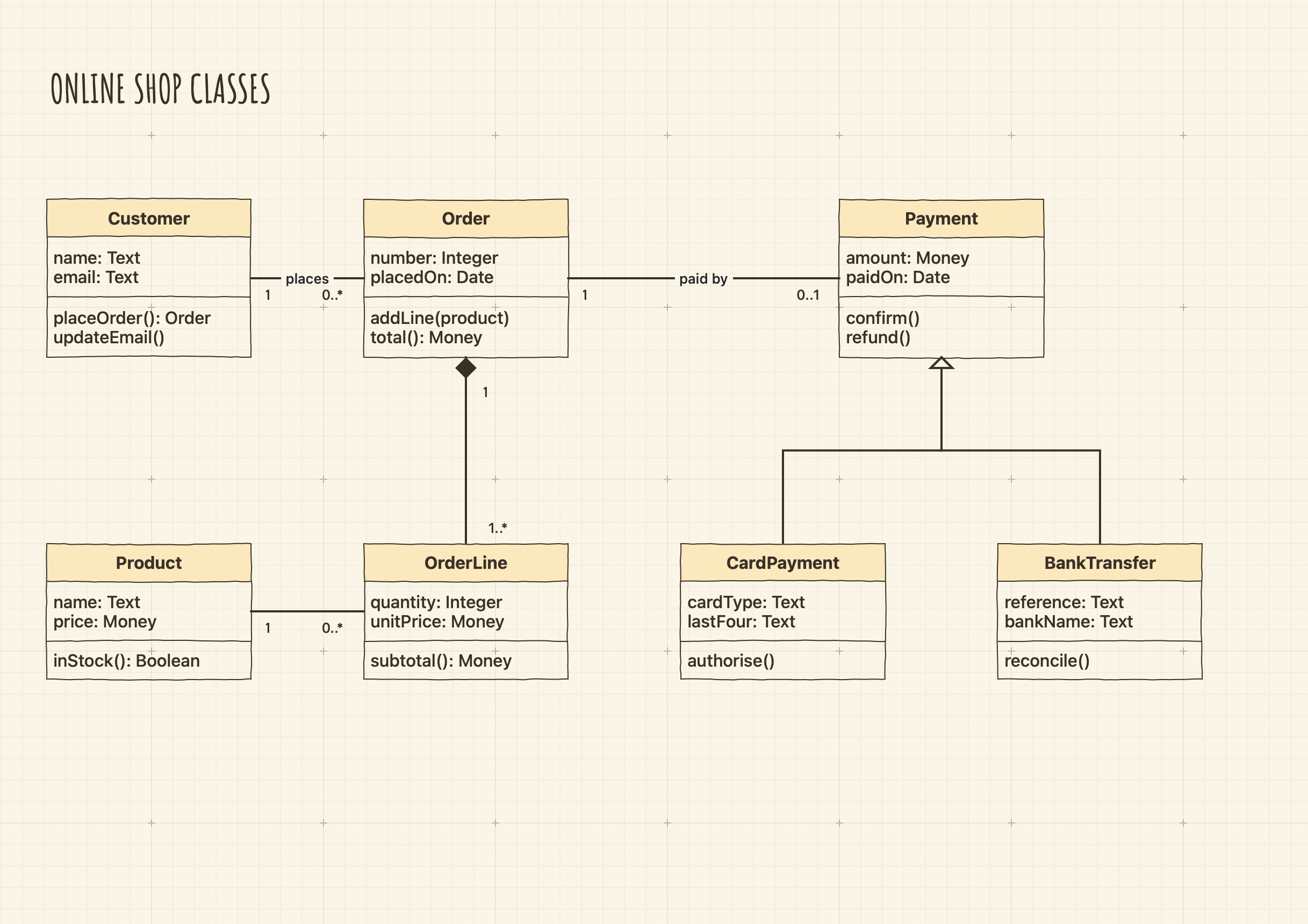
A UML library, ready in the app
The shapes for the class, activity, use case and sequence diagrams most people draw, in the same friendly line.
Class boxes
Class, Interface and Enumeration boxes: a header, then compartments for a class's attributes and operations, an interface's operations or an enumeration's values. Type over the placeholders; Return adds a line and the box grows to fit.
Activity diagrams
Initial and final nodes, a flow final and a fork / join bar that keeps its thickness as you lengthen it. Arrows meet the round nodes on their circle.
Use cases and packages
An actor, a System Boundary to hold your use cases, a package with a tab, and a note with its corner folded over.
Database entities
The library's Database Entity is a table with a row for each field and its type, with primary and foreign key marks, and every field can take its own connector. See database diagrams on your Mac.
Ten relationships, drawn the right way round
Each relationship is a connector with the right line and endings. Click its tile and draw, or select lines you have drawn and choose Format › UML Relationship. The menu tells you which end to start from.
| Relationship | Its line |
|---|---|
| Association | A plain line |
| Inheritance | A hollow arrow at the parent |
| Implements | A dashed line with a hollow arrow at the interface |
| Dependency | A dashed line with an arrow at the thing used |
| Aggregation | A hollow diamond at the whole |
| Composition | A filled diamond at the whole that owns its parts |
| Message, Reply and Async Message | Straight lines between lifelines, for sequence diagrams |
| One to Many | Crow's-foot endings between two database tables, such as a customer and its orders |
Give a relationship its name in the middle, and a multiplicity or role name such as 1 or 0..* at either end. End labels stay beside their ends as you move things. Class and database relationships run at right angles.
Sequence diagrams
Lifelines, messages and fragments that keep their place as the diagram grows.
Lifelines and messages
Put lifelines and actor lifelines along the top, then draw messages down the page in the order things happen. A message attaches anywhere along a dashed line and snaps level as you draw it.
Frames and fragments
Lengthen a lifeline and its messages stay where they are. Frames and Alt, Loop and Opt fragments go around the parts that need them, and a destroy mark ends a lifeline with an X.
Browse the UML library
Every shape in the library, with what each one is for, on the library's own page.
Explore this library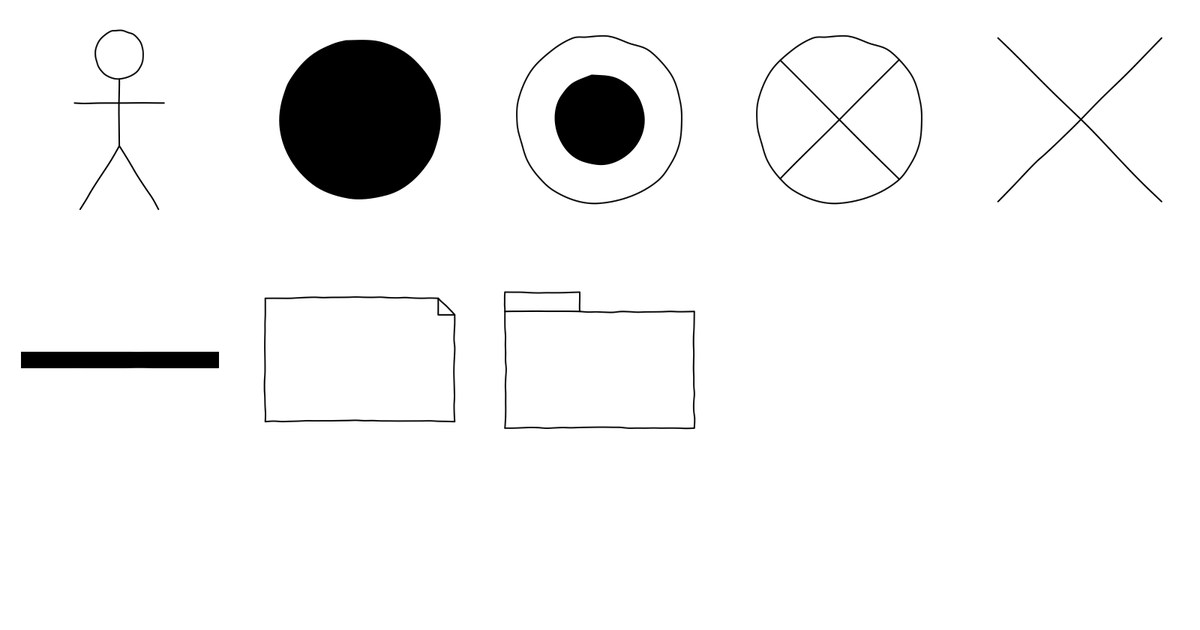
A drawing app, not a modelling tool
SimpleDiagrams draws UML for the picture you show people. It does not generate code or read it, check your model against the standard, or read and write XMI files.
The user guide has every UML shape and relationship.
Download SimpleDiagrams 5 and try it free for 7 days
The free trial is in the download from this site. The Mac App Store edition is paid up front and has no trial.

One licence covers one person on every Mac they use.
Mapping a business process instead? See BPMN diagrams on your Mac, or read how to draw a process map on a Mac.
UML is a registered trademark of the Object Management Group. SimpleDiagrams is not endorsed by it.