BPMN diagrams. Sketched on your Mac.
SimpleDiagrams 5 has a BPMN library built in. Draw a business process the way you would sketch it on a whiteboard, in a friendly hand-drawn style, then put the picture in a document or a slide.
- 89
- BPMN shapes, built into the app
- BPMN 2.0
- files open, and pages export back
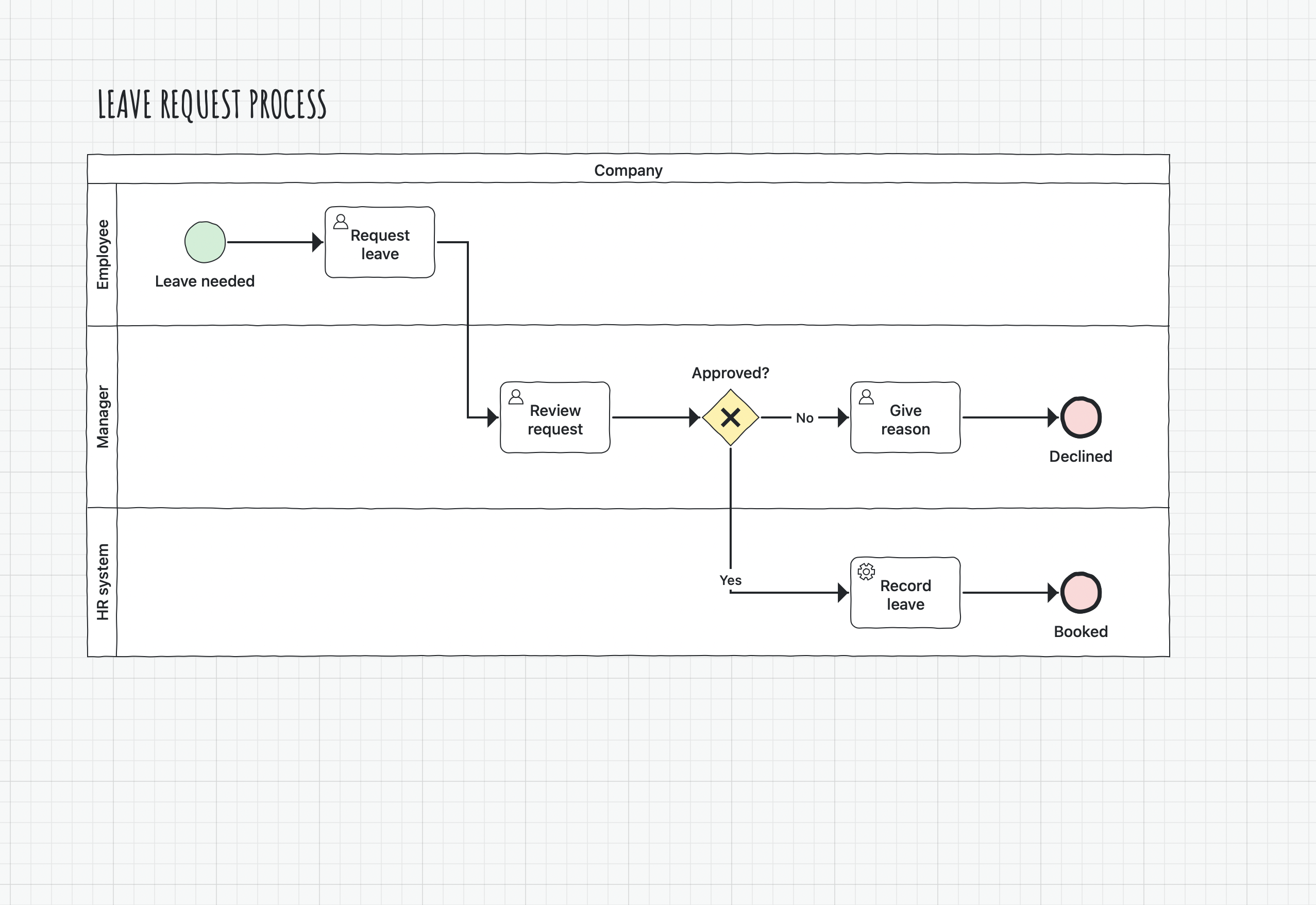
- Lanes
- across or down the page, in a pool that holds its shapes
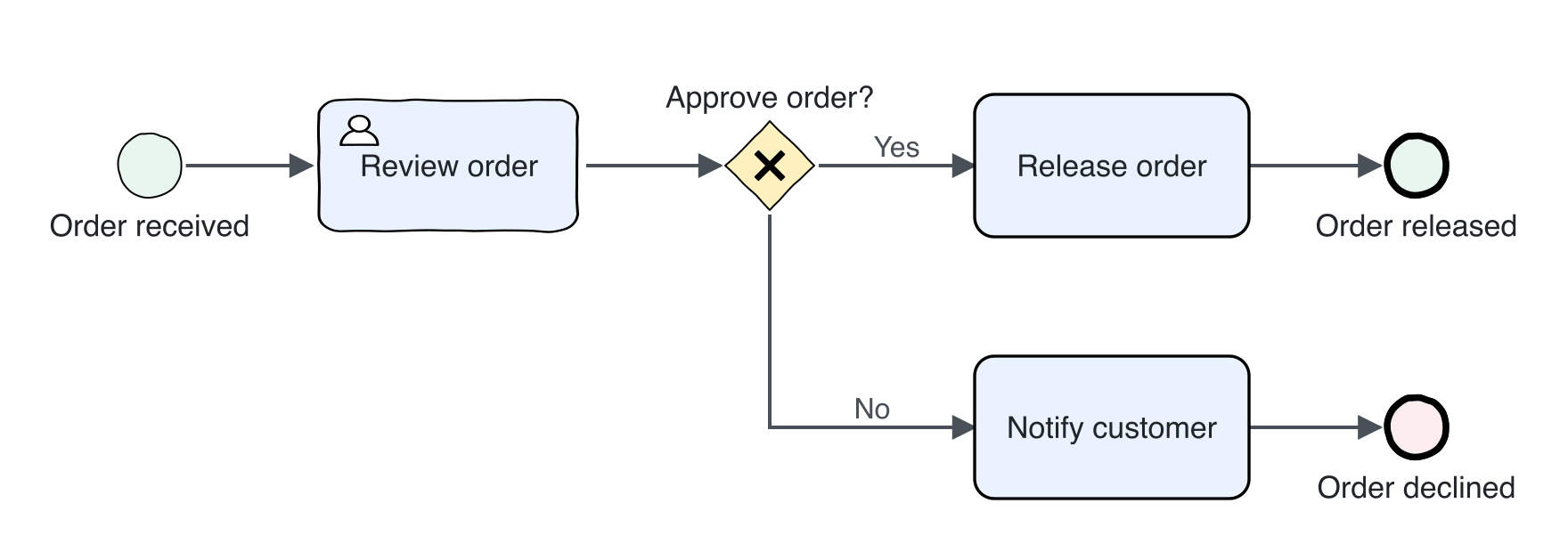
Try an order approval diagram
An order comes in and someone reviews it. The diamond marks the decision. If the order is approved, it’s released. If it’s declined, the customer is notified.
Unzip the download and open Order Approval.simplediagram in SimpleDiagrams 5.4 or later. Double-click a task to rename it, or drag it to see the connectors follow.
89 BPMN shapes, ready in the app
Every event, gateway, task and data shape, drawn in the same friendly line.
Events


51 start, intermediate and end events: catching and throwing, interrupting and non-interrupting, with every trigger from message and timer to escalation and compensation.
Gateways


Exclusive, inclusive, parallel, complex and event-based gateways, including the instantiating kinds.
Tasks


User, manual, service, script, send, receive and business rule tasks. The plain Task and Gateway tiles place Basic's Rounded Rectangle and Diamond, which BPMN export reads as a task and a gateway.
Sub-processes and markers



Collapsed sub-process, call activity, event sub-process and transaction, plus loop, multi-instance, compensation and ad hoc markers to group with a task.
Data


Data objects, data inputs and data outputs, each single or as a collection, and data stores.
Messages and notes



Messages, conversations, text annotations and groups.
Lay out the whole process
Pools, lanes and flows keep a busy process easy to follow.
Pools, lanes and sub-processes
Swimlanes give you pools and lanes, across or down the page. Each lane has a title, you add and delete lanes from the menu, and you drag a divider to make a lane bigger. A shape you drop into a lane joins it.
An expanded sub-process is a Container: a frame with a title that holds the shapes you drop into it.
Flows
Sequence flows, message flows and associations are connectors. Make them solid, dashed or dotted, choose their ends, and give each one a label.
Right-angle connectors keep a busy process tidy and easy to follow.
Details that stay neat
Shapes that hold their look, details you can read back, and files that travel.
Neat at any size
Stretch a BPMN task or sub-process and its corners and hand-drawn line stay the same. A task's icon stays in its corner, and a collapsed sub-process keeps its plus sign at the bottom.
BPMN details as shape data
BPMN shapes carry their details as shape data. See them in the Shape Data panel, compare a whole page in the Page Data table, and export them as CSV or JSON.
BPMN 2.0 files
Open a BPMN 2.0 file from a modeler with File › Open, or drop it on a window. It opens looking as it was drawn, with its pools, lanes and colours, and a summary tells you if anything didn't come across. File › Export as BPMN… writes a page back out.
Browse the BPMN library
Every shape in the library, with what each one is for, on the library's own page.
Explore this library
A drawing app, not a process engine
SimpleDiagrams draws BPMN. It does not run your process or check it against the standard. It opens BPMN 2.0 files from a modeler and exports a page back, but leaves out settings only a process engine uses, such as forms and scripts. Use it for the picture you show people.
Download SimpleDiagrams 5 and try it free for 7 days
The free trial is in the download from this site. The Mac App Store edition is paid up front and has no trial.

One licence covers one person on every Mac they use.
Not every process needs BPMN. For a quick, informal picture, read how to draw a process map on a Mac. Drawing software design instead? See UML diagrams on your Mac.
BPMN is a trademark of the Object Management Group. These shapes are not endorsed by it.